
4.1 KiB
🚫 Cloudflare WAF to AbuseIPDB 🕵️♀️
This project offers an automated script that collects and reports IP addresses that have triggered Cloudflare firewall events. In simple terms, it enables the reporting of incidents detected by Cloudflare WAF to the AbuseIPDB database.
If you're looking for effective WAF Expressions, you're in the right place! Check out sefinek24/Cloudflare-WAF-Expressions.
Also, take a look at sefinek24/UFW-AbuseIPDB-Reporter for UFW.
If you like this repository or find it useful, I would greatly appreciate it if you could give it a star ⭐. Thanks a lot!
🛠️ Prerequisites
📃 Information
If you want to make changes to the script from this repository, please kindly fork it first.
🌌 Example Report
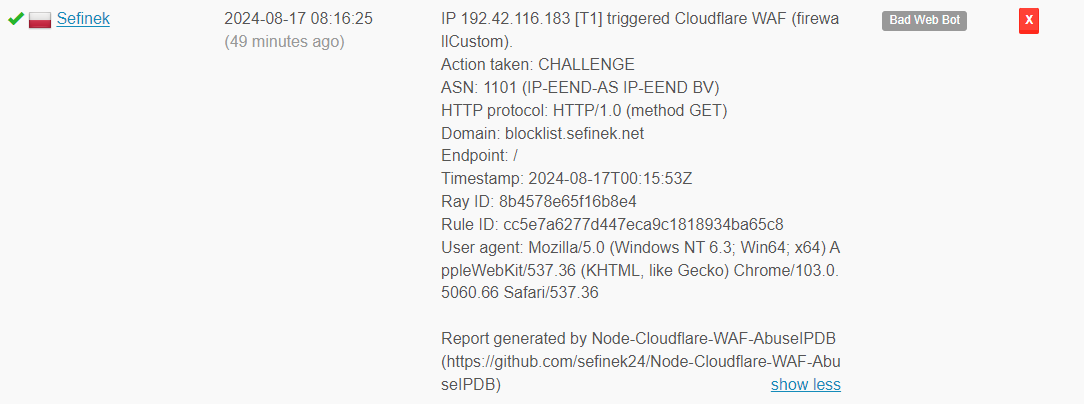
IP 192.42.116.183 [T1] triggered Cloudflare WAF (firewallCustom).
Action taken: CHALLENGE
ASN: 1101 (IP-EEND-AS IP-EEND BV)
HTTP protocol: HTTP/1.0 (method GET)
Domain: blocklist.sefinek.net
Endpoint: /
Timestamp: 2024-08-17T00:15:53Z
Ray ID: 8b4578e65f16b8e4
Rule ID: cc5e7a6277d447eca9c1818934ba65c8
User agent: Mozilla/5.0 (Windows NT 6.3; Win64; x64) AppleWebKit/537.36 (KHTML, like Gecko) Chrome/103.0.5060.66 Safari/537.36

Report generated by Node-Cloudflare-WAF-AbuseIPDB (https://github.com/sefinek24/Node-Cloudflare-WAF-AbuseIPDB)
📥 Installation
- Clone the repository.
git clone https://github.com/sefinek24/Node-Cloudflare-WAF-AbuseIPDB.git - Install dependencies.
npm install - Environment variables. Create a new
.env.defaultfile with the same content, then rename it to.env. Fill it with your tokens, etc. Remember to setNODE_ENVtoproduction! - Run the script.
node . - If you want to run the process 24/7, install the
PM2module.npm install pm2 -g - Modify the log paths in the
ecosystem.config.jsfile to be correct and existing. You don't need to create.logfiles, just ensure the directory structure is accurate. - Run the process continuously using
PM2to ensure constant operation and automatic restart in case of a failure.pm2 start - Save a snapshot of the currently running
Node.jsprocesses.pm2 save - Add
PM2to startup.pm2 startup - Execute the command generated by PM2, e.g.:
sudo env PATH=$PATH:/usr/bin /usr/lib/node_modules/pm2/bin/pm2 startup systemd -u sefinek --hp /home/sefinek
- That’s it! Monitor logs using the
pm2 logscommand.
🔤 How to Get Tokens?
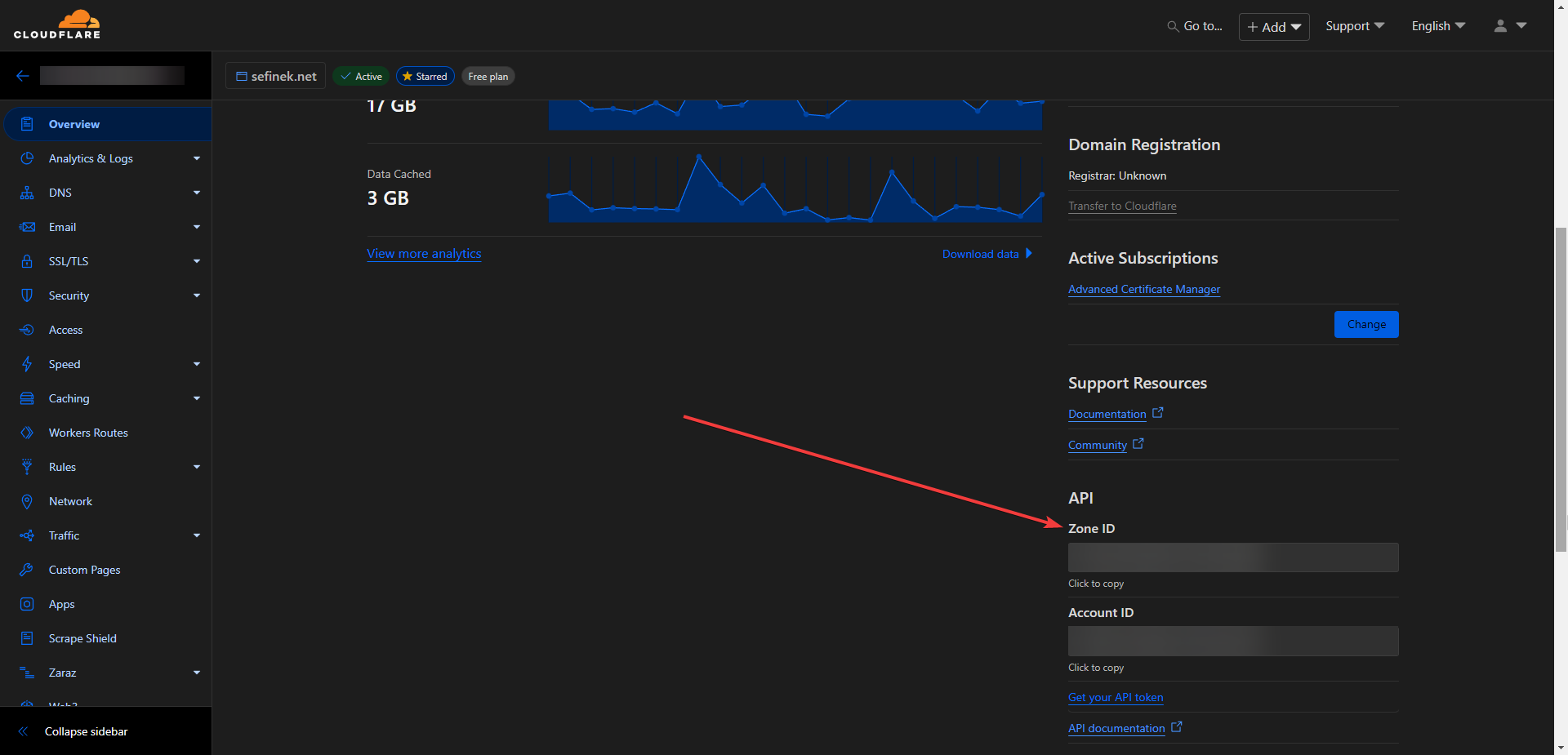
CLOUDFLARE_ZONE_ID
CLOUDFLARE_API_KEY
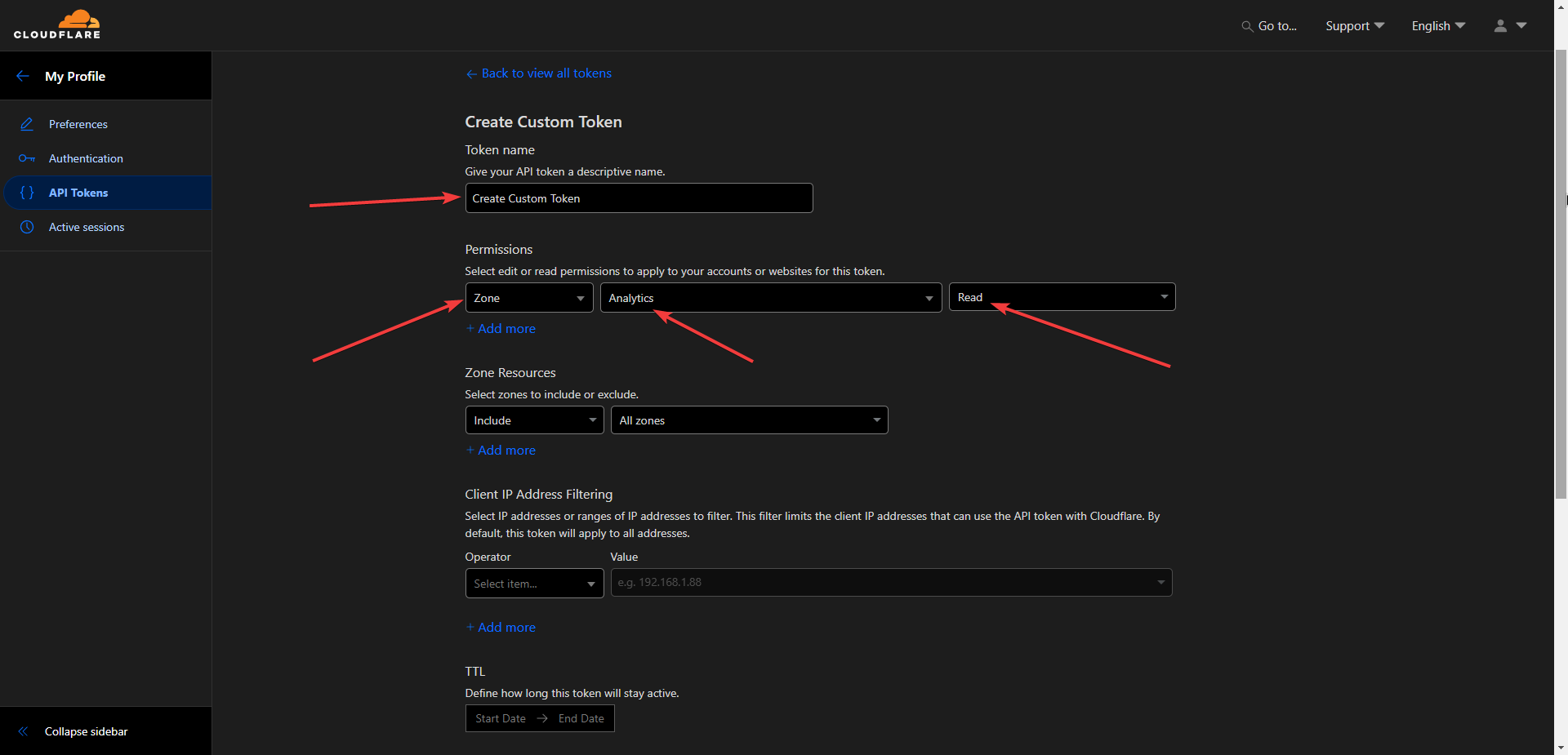
- Go to dash.cloudflare.com/profile/api-tokens.
- Click the "Create Token" button.
- Select "Create Custom Token".
ABUSEIPDB_API_KEY
Visit www.abuseipdb.com/account/api.
😉 Issues and Pull requests
If you need help or have any questions, feel free to create a new Issue. If you'd like to contribute to the project, go ahead and open a Pull request. Thank you!
💕 Credits
This project is inspired by the MHG-LAB/Cloudflare-WAF-to-AbuseIPDB repository. I'm not particularly fond of Python and usually try to avoid using this programming language, which is why I decided to create this repository.
📑 MIT License
Copyright 2024 © by Sefinek. All Rights Reserved.